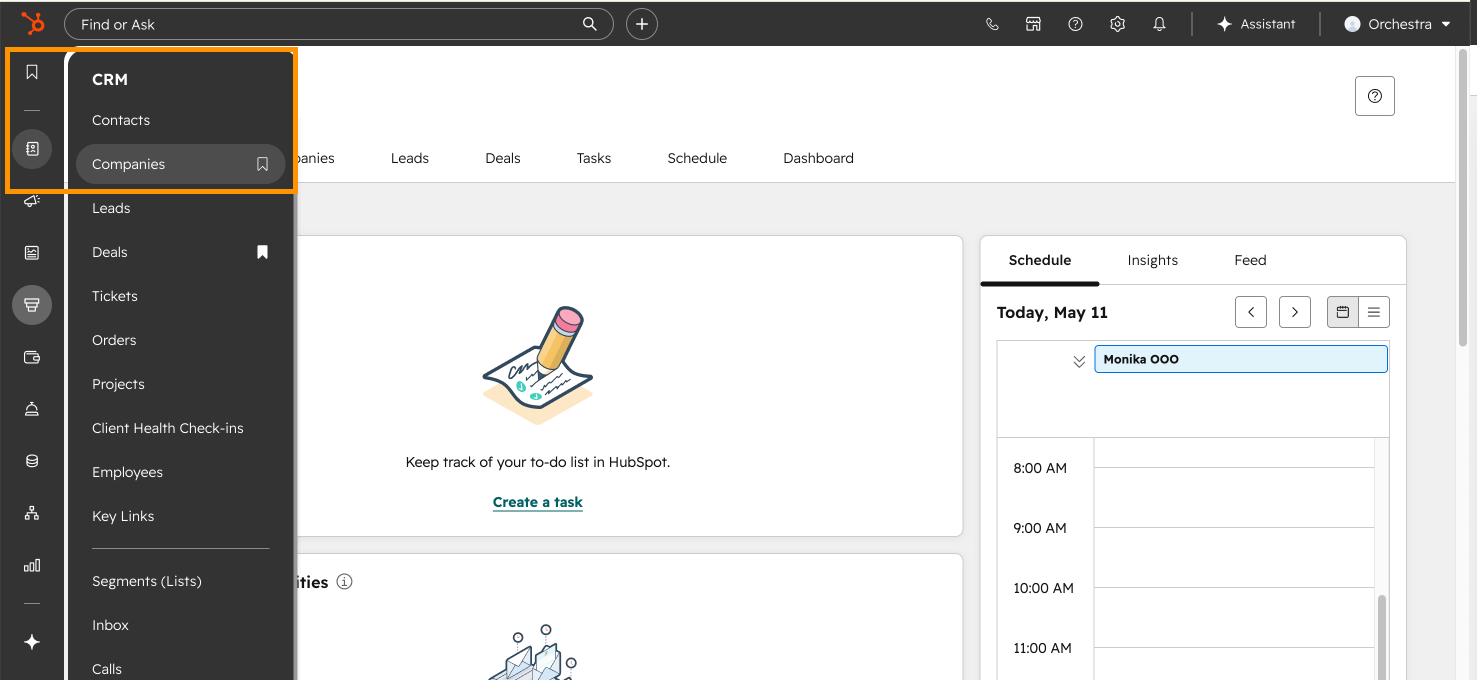
1. From the global navigation, go to CRM → Companies.
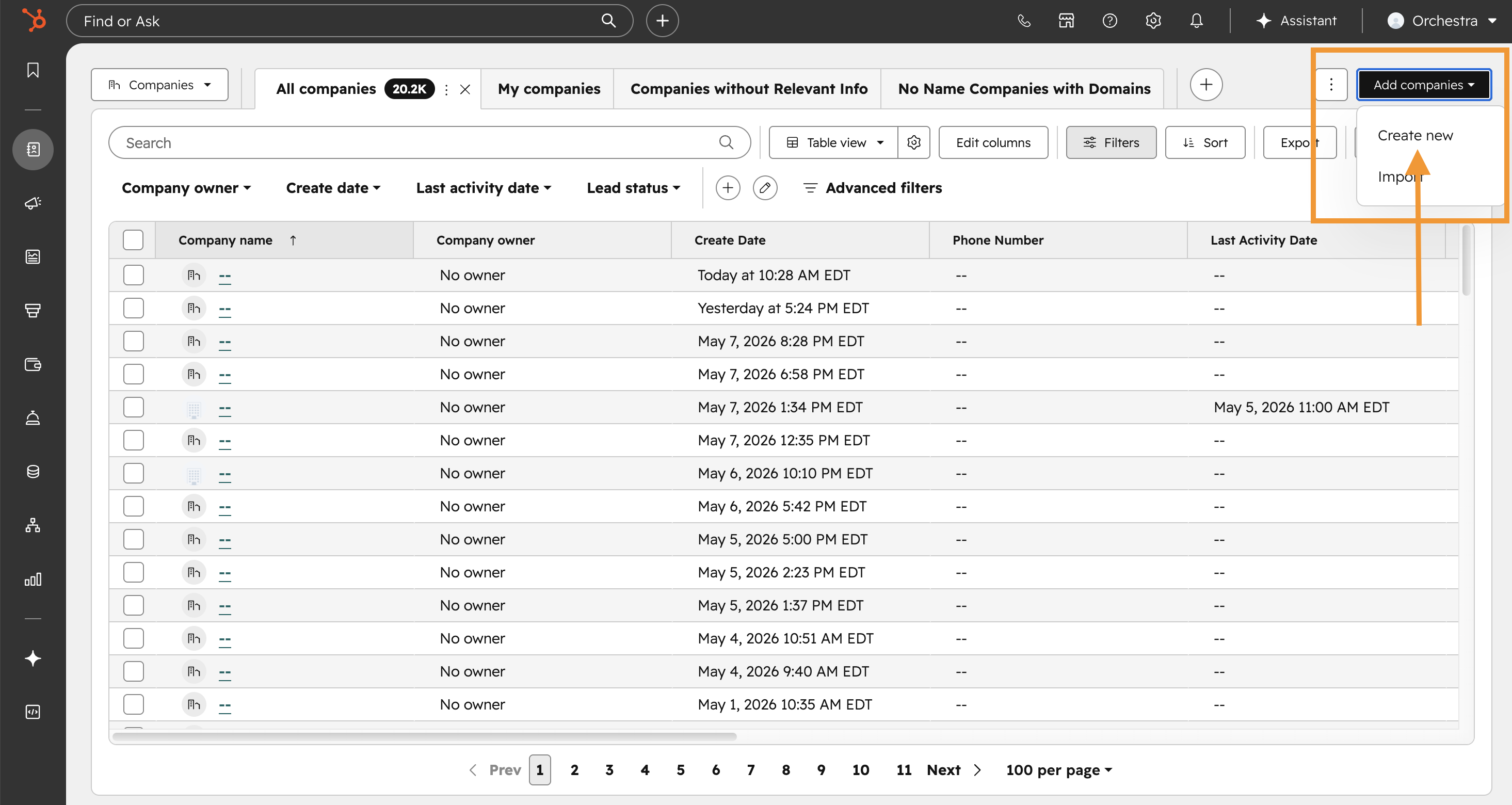
2. In the top right, click Add companies → Create new.
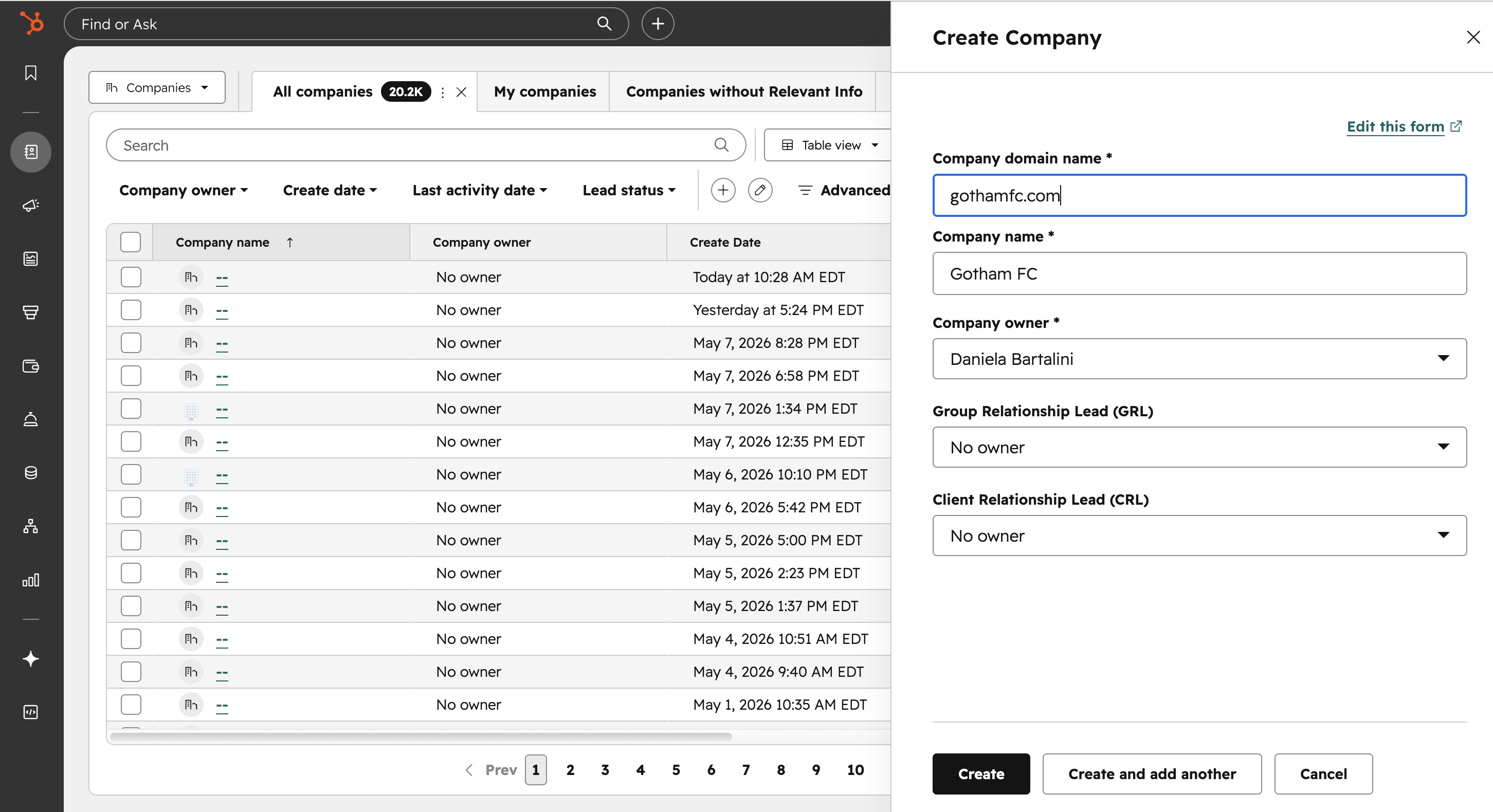
3. Fill out the Create Company form with the following required details:
-
Company Domain Name → URL of the company
-
Company Name → Name of the company
-
Company Owner → Defaults to the person making the record, but you can Writing (first stage).
-
Group Relationship Lead (GRL)→ Select the HubSpot user who will be the GRL. For any deal created for this company, this person will be assigned the GRL.
- Note: only a GRL or vertical lead can assign a CRL or GRL, so please connect with your GRL or vertical lead if you are unable to edit these fields.
- Client Relationship Lead (CRL)→ Select the HubSpot user who will be the CRL. For any deal created for this company, this person will be assigned the CRL there as well.
- Note: only a GRL or vertical lead can assign a CRL or GRL, so please connect with your GRL or vertical lead if you are unable to edit these fields.